

The wait is finally over! The National Examination Board (NEB) is publishing the SEE Result 2081/2082 today. We know how stressful and exciting this moment can be for students and parents across Nepal.
Earlier, checking results used to be a headache, but now it’s much easier. In this detailed guide on Techno KD, we will show you exactly how to check SEE result with a full marksheet using your mobile or computer. Whether you want to use the internet or just a simple SMS, we’ve got you covered.
When will the SEE Result 2081/2082 be Published?
The NEB has officially announced that the results for the academic year 2081 are being released today. Due to the high number of students, the official websites might get slow, so we recommend keeping multiple methods ready.
| Board Name | National Examination Board (NEB) |
| Exam Name | SEE Exam 2082 |
| Result Name | SEE Result 2081-2082 |
| Session | 2081-2082 |
| Exam Date | March-April 2026 |
| Result Date | 3rd week of Ashar |
| Websites | Office of the Controller of Examinations, NEB website, NTC Result Portal |
How to Check SEE Result?
There are different ways you can use to check SEE result. You can use different websites, the SMS service as well as the IVR to know your SEE result. Here, we will discuss with you all three methods.
Method 1: How to Check SEE Result Using Different Websites
The first and easiest way to know your SEE result online is by using different websites. These websites offer a user-friendly interface where students can enter their required information, such as their Symbol number and Date of birth, to instantly access their SEE results. To check the result follow the steps given below:
- Open any one of the Office of the Controller of Examinations, NEB website, or NTC Result Portal.
- Click on the link or button showing Results or SEE Result on the page.
- Enter the necessary details such as your Symbol No. and Date of Birth.
- Click on the Submit button to view your result.
So, you can check SEE result online by following the steps given above. You will be able to see the SEE portal only when the results are out.
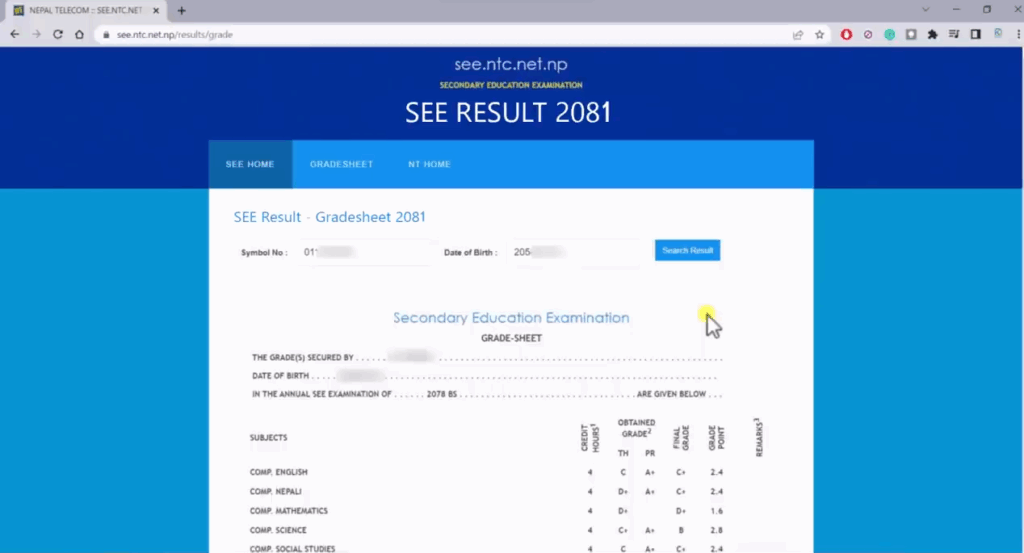
1. Open Your Browser Visit the Official SEE Result Website
In the address bar, type:
https://see.ntc.net.np/
and press Enter.
This will take you directly to Nepal Telecom’s SEE result portal.
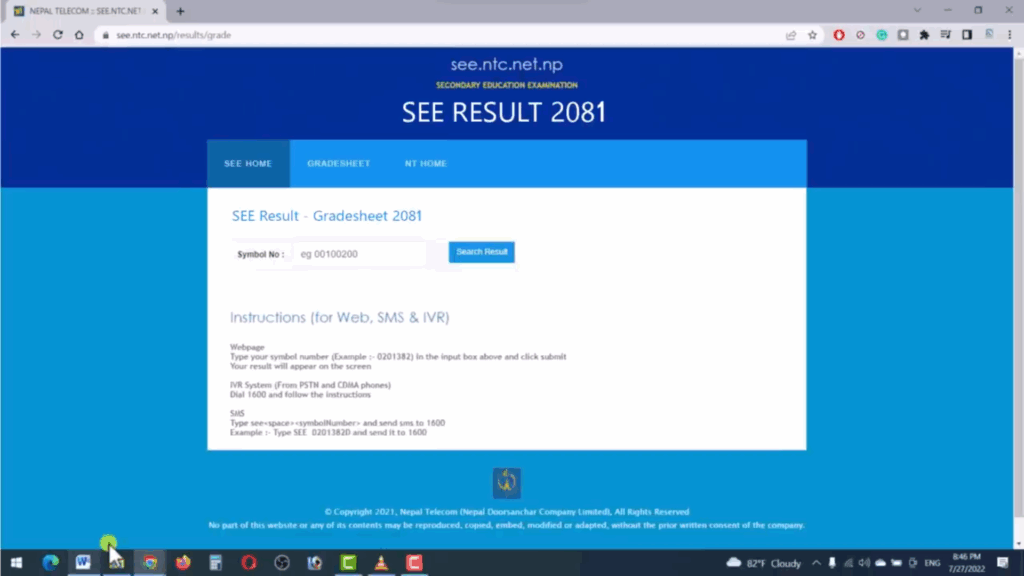
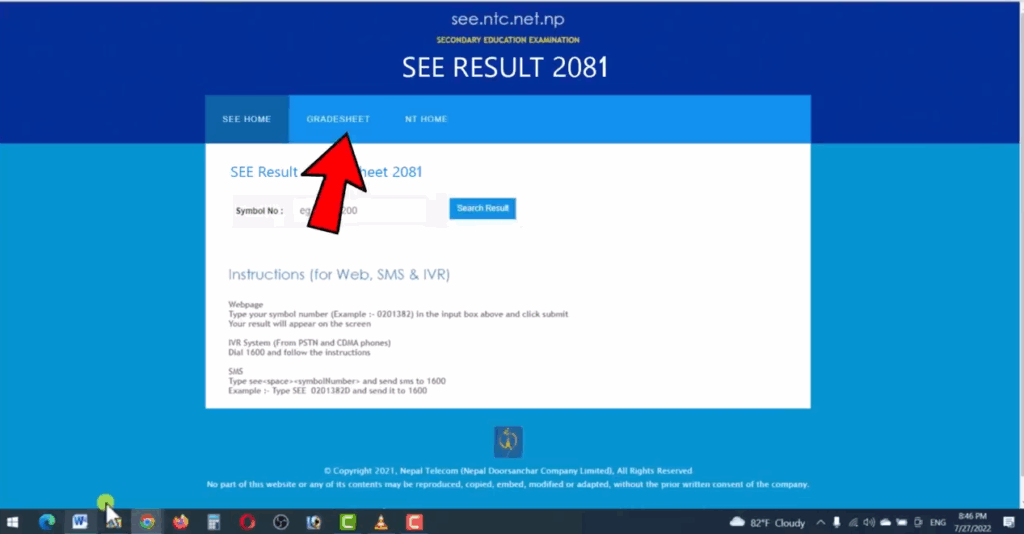
2. To view the result with Gradesheet, click on the Gradesheet option.
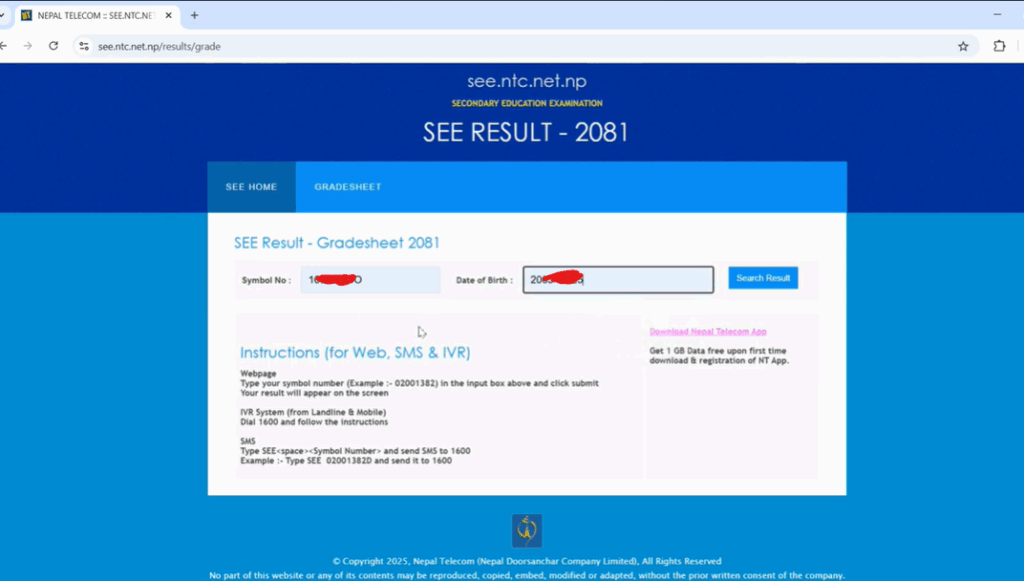
3. Enter Your Details
You must enter two important details:
- Symbol Number
Type your SEE Symbol Number exactly as it appears on your admit card. - Date of Birth (DOB)
Enter your Date of Birth in the required format. Make sure the DOB matches the details submitted during SEE registration. - These details are required for verification.
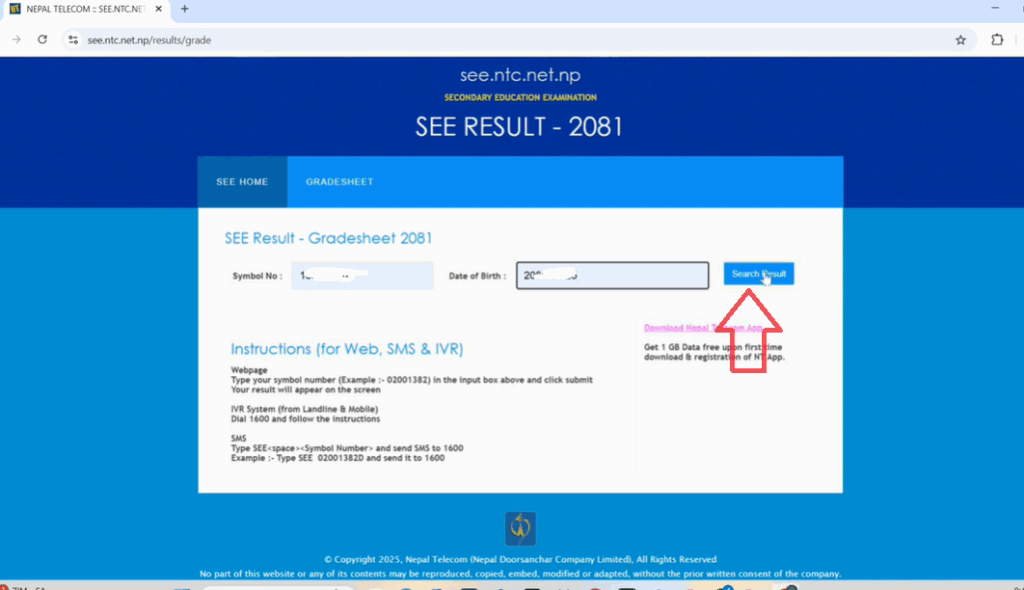
4. Click on “Search Result”
The system will now fetch your result from the database
5. View Your With SEE Gradesheet
If the information is correct, your complete SEE Gradesheet will appear on the screen.
You can view:
6. Download or Print Your Result
If you want to save the result:
- Click Print Or or if you press Ctrl+P button on keyboard, the print option will appear.
- Choose Save as PDF for download your result or Take a screenshot for quick sharing
This helps you keep a digital record of your SEE result.
Method 2: How to Check SEE Result Using SMS
You can also use the SMS service to know your SEE result. This is a better approach than the website since there is a high chance the sites will crash during the result. However, using the SMS service, there will not be such things and you will be able to view your result. To view your result using the SMS service follow the steps below:
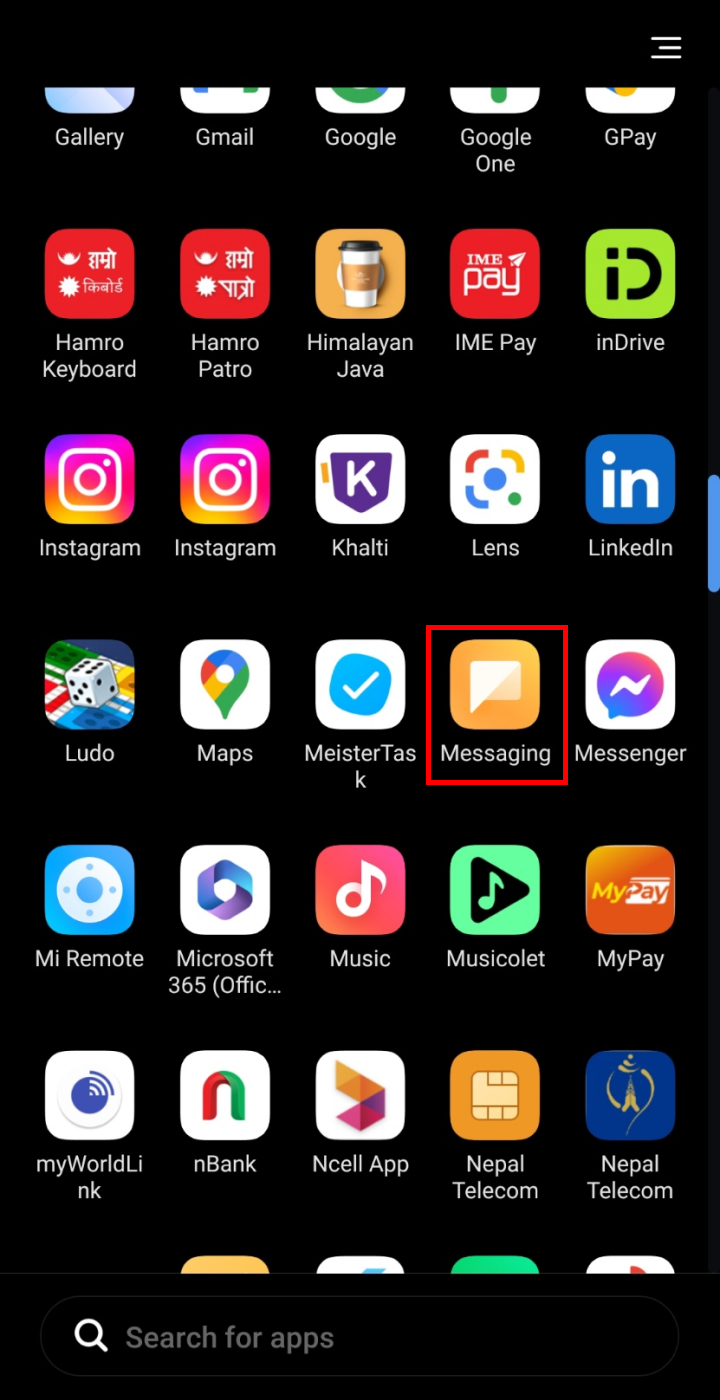
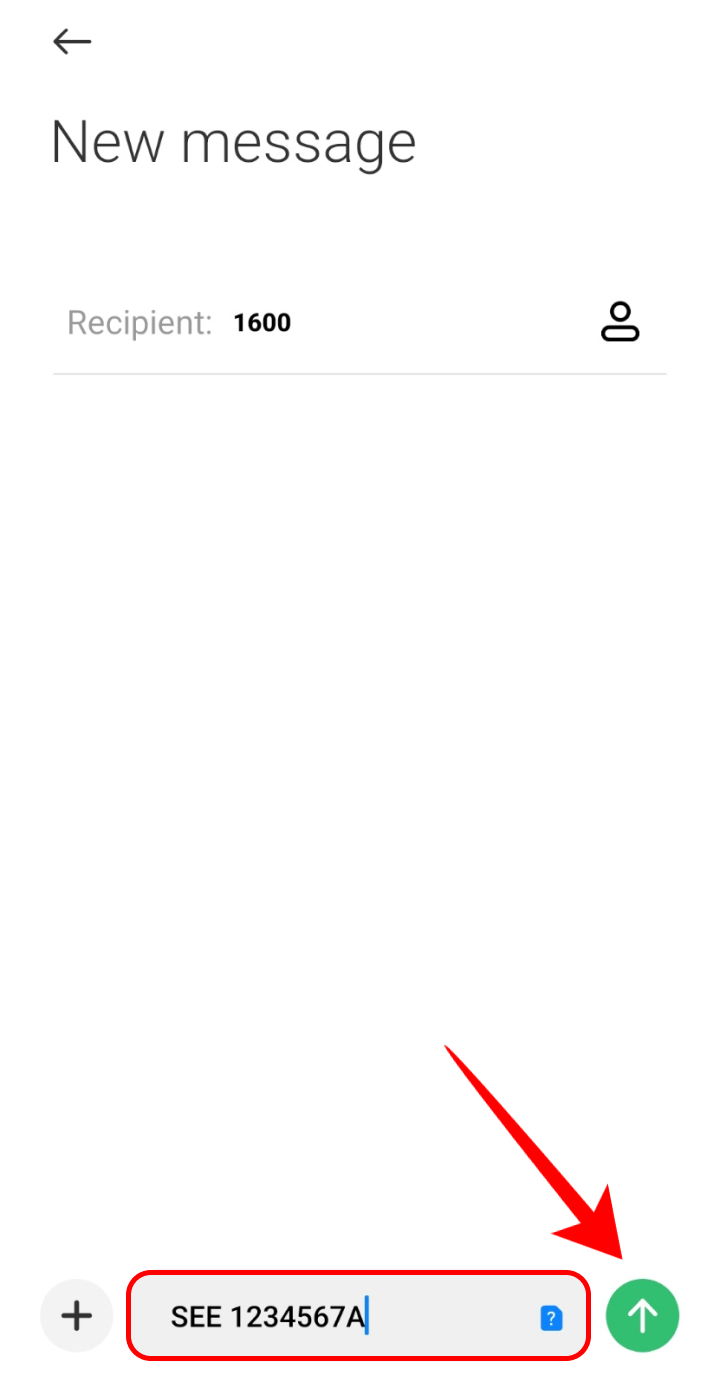
- Open the Messaging application on your phone.

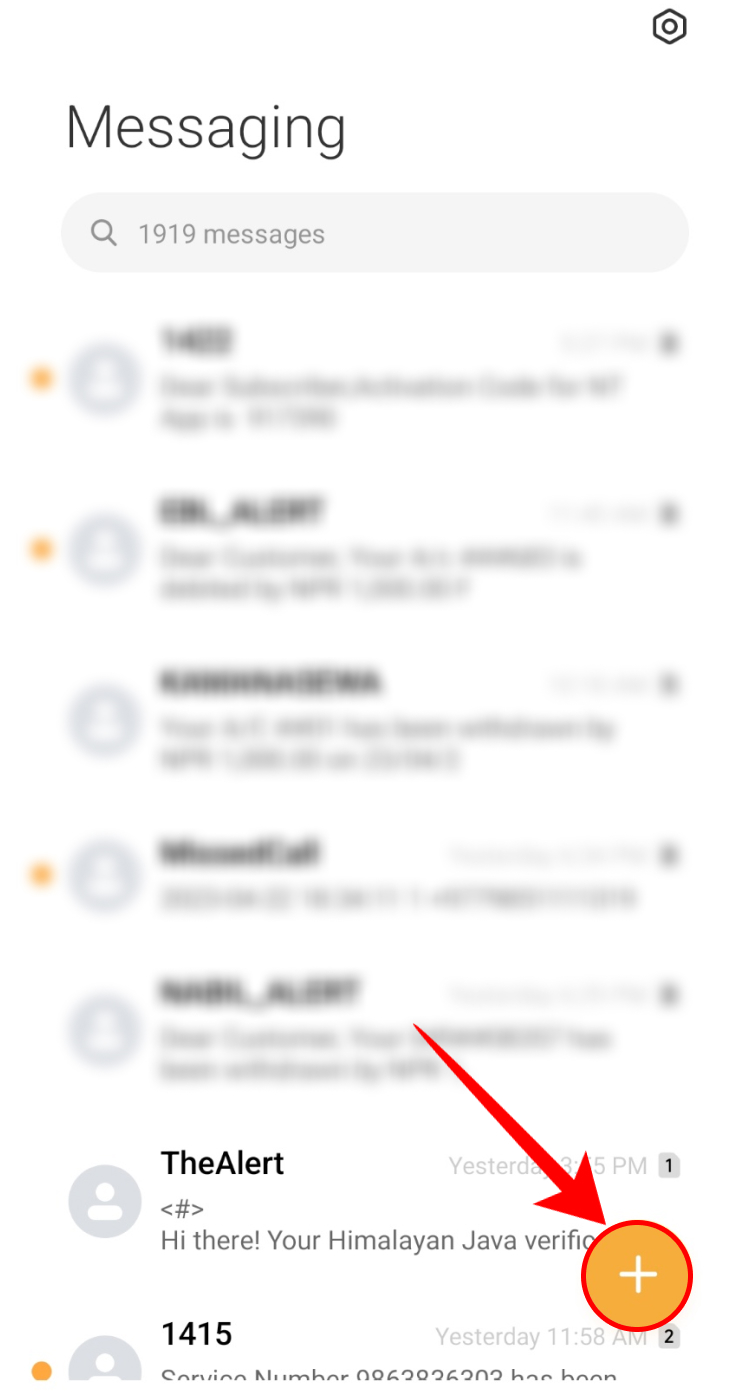
- Tap on the + icon to compose a new message.

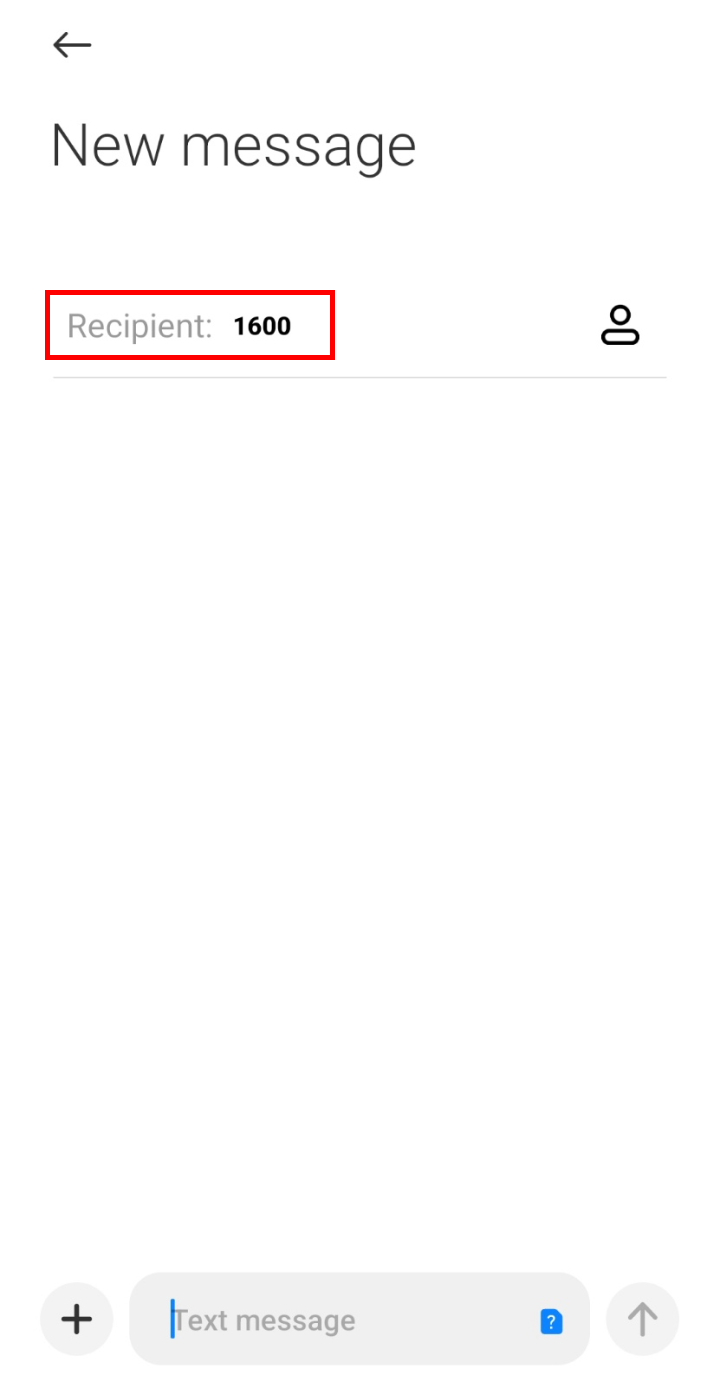
- In the recipients, type 1600.
- Type SEE
in the message and send the message.
You can also use the Sparrow SMS service to check the result. To check your result from the Sparrow
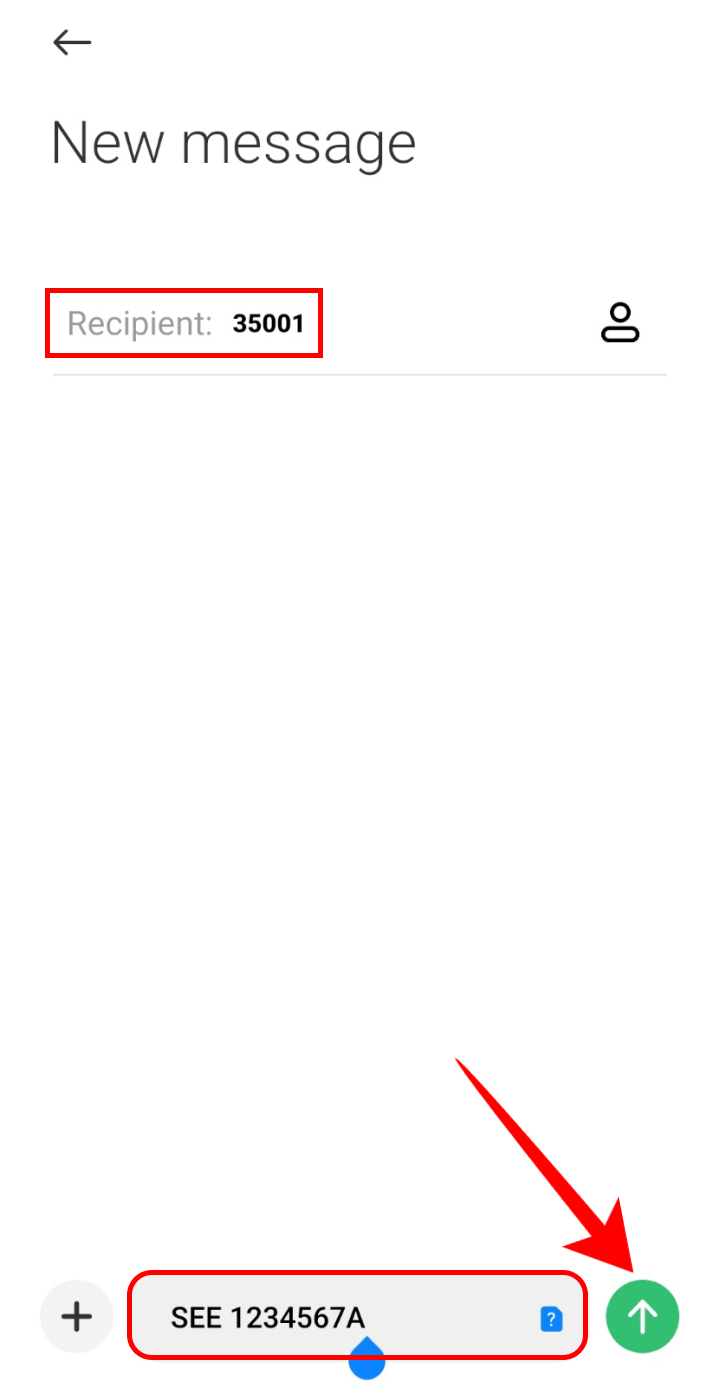
SMS, type SEE
Method 3: How to Check SEE Result Using IVR
Interactive Voice Response System is also another way to see your SEE result. To check the result, dial 1600 from your phone and follow the instructions from your phone. This method is applicable to pre-paid and post-paid SIMs as well as CDMA and Landline phones.
Official Authorized Websites for SEE Result 2081/2082
During the result announcement, official servers often get overloaded and slow down. To ensure every student can check their marksheet without delay, the National Examination Board (NEB) has authorized several official and private portals to publish the results.
You can see the official notice from the Board below:
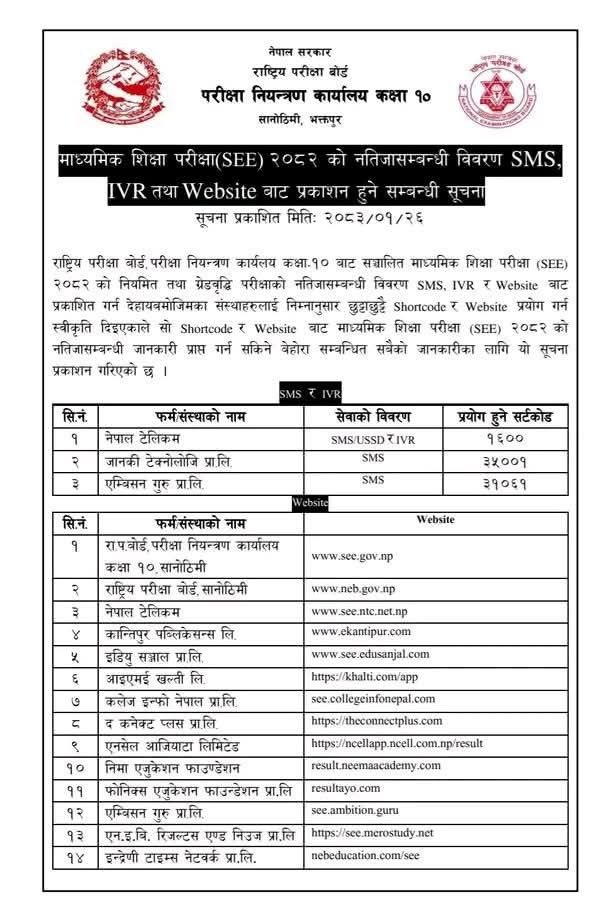
If the primary website (ntc.net.np) is not loading, do not worry. You can use any of the following direct links to access your SEE Result 2081 with a full marksheet. We have compiled the complete list of authorized portals for your convenience:
List of Authorized Result Portals:
1. Nepal Telecom: see.ntc.net.np
2. NEB Official: www.neb.gov.np
3. Neb Education: nebeducation.com/see
4. Kantipur Publications: results.ekantipur.com
5. Office of Controller of Examination: www.see.gov.np
6. Mero Study: see.merostudy.net
7. dusanjal: see.edusanjal.com
8. College Nepal: see.collegenepal.com
9. The Connect Plus: theconnectplus.com
10. Neema Academy: result.neemaacademy.com
11. Resultayo: resultayo.com
12. Ambition Guru: see.ambition.guru
13. Ncell Axiata: www.ncell.com.np
14. Khalti: khalti.com/app
SEE Grading System in Nepal
NEB started the grading system in Nepal a few years ago. But, if you do not know the grading system and how it works, here we will provide you with the table of the system.
| S.N. | Marks Scored | Grade Point | Grade | Remarks |
| 1 | 90 and more | 4.0 | A+ | Outstanding |
| 2 | 80 – less than 90 | 3.6 | A | Excellent |
| 3 | 70 – less than 80 | 3.2 | B+ | Very Good |
| 4 | 60 – less than 70 | 2.8 | B | Good |
| 5 | 50 – less than 60 | 2.4 | C+ | Satisfactory |
| 6 | 40 – less than 50 | 2.0 | C | Acceptable |
| 7 | 35 – less than 40 | 1.6 | D | Basic |
| 8 | 35 – less than 40 | – | NG | Not graded |
Conclusion
We hope that you will now be able to check the SEE/SLC result by following the steps above You can do so by using different websites, SMS, or by using the IVR service. Best of luck with the result and follow us to know the result as soon as it is published.
Recommended Article: How To Unblock eSewa Account?
Frequently Asked Questions (FAQs)
When will the SEE Result 2081/2082 be officially announced?
The National Examination Board (NEB) is releasing the SEE results today, in the last week of Ashar 2081. You can start checking your results from the afternoon once the board meeting concludes.
What is the minimum mark required to pass SEE this year?
According to the new letter grading system, you must score at least u003cstrongu003e35% marksu003c/strongu003e in the theoretical exam of each subject. If you score less than 35, you will get an ‘NG’ (Not Graded) and will not be eligible for admission in Grade 11.
Can I check my SEE result without a Date of Birth?
You can check your GPA and result status via SMS without a Date of Birth. However, if you want to view or download your u003cstrongu003efull marksheetu003c/strongu003e online, providing your Date of Birth is mandatory for security and verification.
What should I do if I get an ‘NG’ (Not Graded) in one or two subjects?
Don’t lose hope! If you receive an ‘NG’ in up to two subjects, you can apply for the u003cstrongu003eGrade Increment (Supplementary) Examu003c/strongu003e which is usually held within a month of the result publication. This gives you a second chance to pass and join Grade 11 in the same academic year.
Why is the website not opening or showing u0022Server Busyu0022?
Since lakhs of students are trying to access the same website at the same time, the servers can crash. If this happens, please try the u003cstrongu003eSMS methodu003c/strongu003e mentioned above or try any of the u003cstrongu003e14 alternative website linksu003c/strongu003e we have listed in this article.