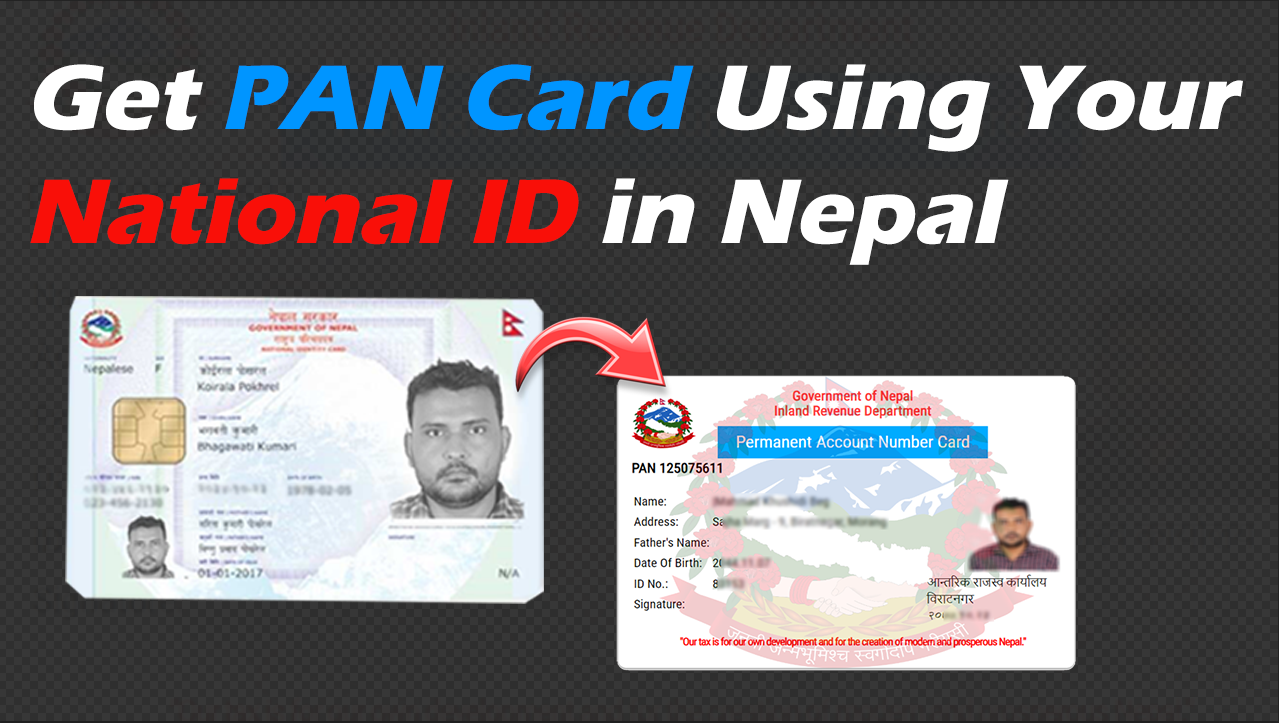
How to Apply PAN Card Using Your National ID in Nepal is now one of the easiest online processes in the country. The Inland Revenue Department (IRD) launched its online PAN registration portal on September 3, 2014. This allowed citizens to apply digitally instead of going to the tax office. Before this system, people had to fill out paper forms, submit documents by hand, and wait in long lines for verification.
Today, things are much simpler. With the inclusion of the National ID (Rastriya Parichaya Patra), you can complete the entire PAN application online without visiting any IRD office. If you don’t have an NID yet, see our guide on How to Apply for National Identity Card in Nepal?. You can submit your form, confirm your identity, and receive your PAN number directly through the digital system. No paperwork, no physical documents, and no office visits are necessary.
What is PAN (Permanent Account Number)?
A PAN, or Permanent Account Number, is a unique 9-digit identifier issued by Nepal’s Inland Revenue Department (IRD). It is important for tax purposes, tracking income, and making sure financial management is done correctly. Individuals, business owners, and taxpayers need a PAN to carry out official financial and legal transactions in Nepal. The PAN is regulated by Nepal’s Income Tax Act, 2058, the Income Tax Rules, 2059, and rules from the Inland Revenue Department (IRD).
Types of PAN Card in Nepal
Nepal issues PAN based on the type of taxpayer. There are three main categories:
- Personal PAN – For individual taxpayers
- Business/Organization PAN – For companies, firms, NGOs, or other organizations
- Non-Resident PAN – For non-resident Nepalis or foreigners earning income in Nepal
This guide explains each step of how to apply for a PAN Card using your National ID (NID) in Nepal in a clear and friendly way.
Step-by-Step Guide to How to Apply PAN Card Using Your National ID in Nepal
1. Visit the IRD Online Portal
Go to the official Inland Revenue Department (IRD) PAN registration website.
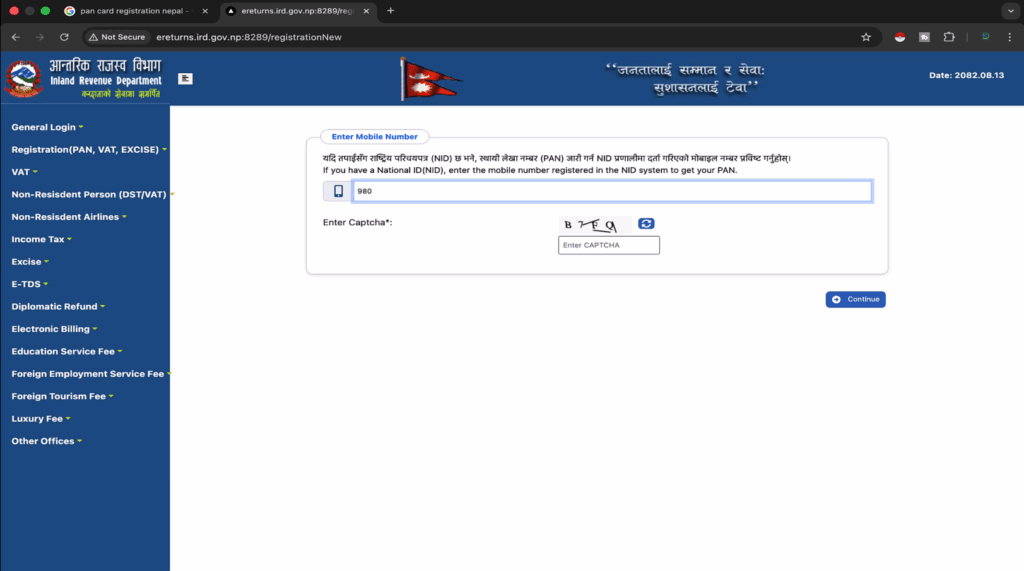
http://ereturns.ird.gov.np:8289/registrationNew
2. Enter Mobile Number and Verify OTP
Enter the mobile number you used when registering for your National Identity Card and Enter the CAPTCHA code shown on the screen Click on Continue
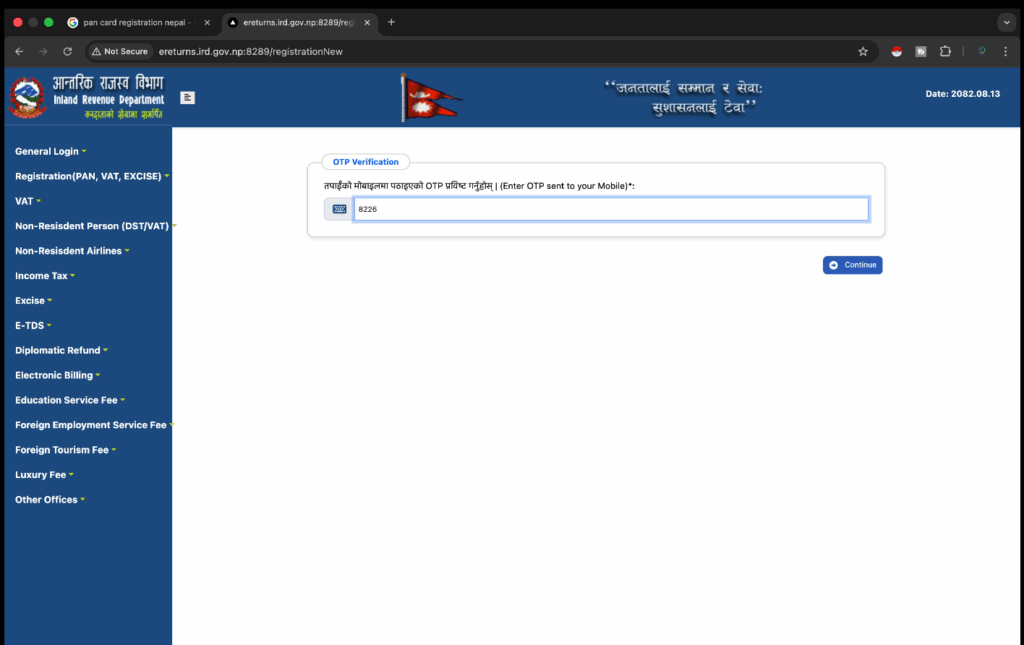
An OTP code will be sent to your mobile number; enter it and Click Continue
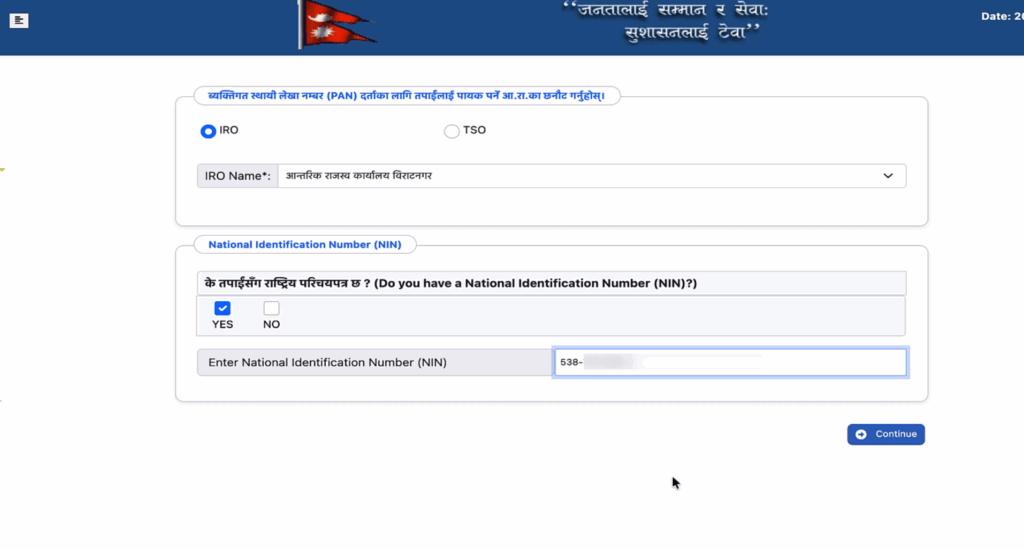
From the options, choose your local Internal Revenue Office (Aantarik Rajaswa Karyalaya). In the section that asks if you have a National Identity Card, make sure ‘Yes’ is selected. Enter your National Identity Card (NID) number and click Continue.
3. Select Registration Office and Confirm NID
4. Review Personal and Address Details
Most of your personal information, like your name and date of birth, will be automatically filled in from your NID data. Check these details for accuracy. Enter any missing required information, such as your nationality (Nepali) and residential status.
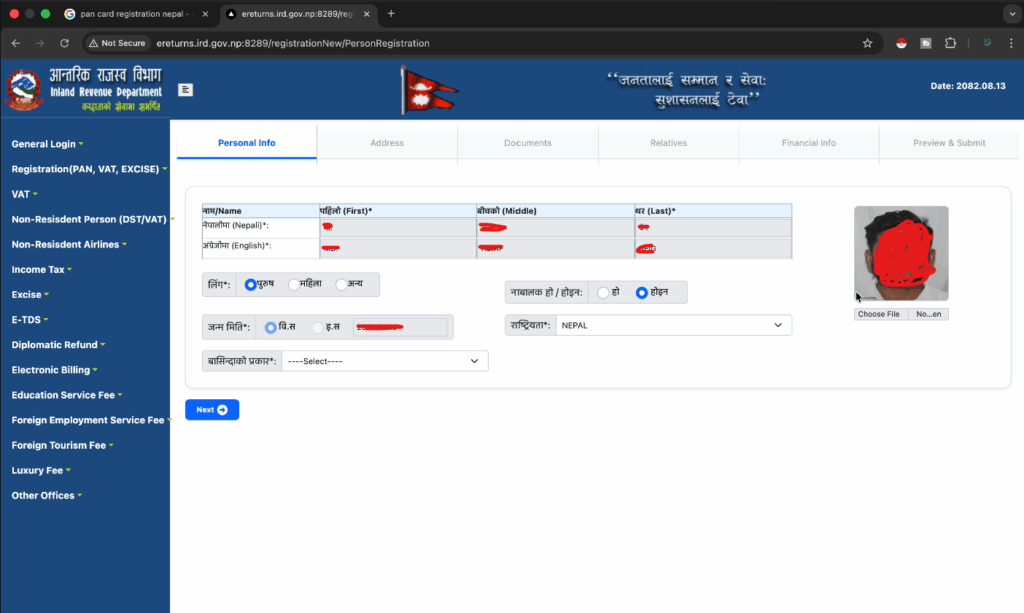
Click Next to go to the Address details page. The address details page will also have your permanent address filled in. If your current mailing address is the same, just check the box to copy the details.
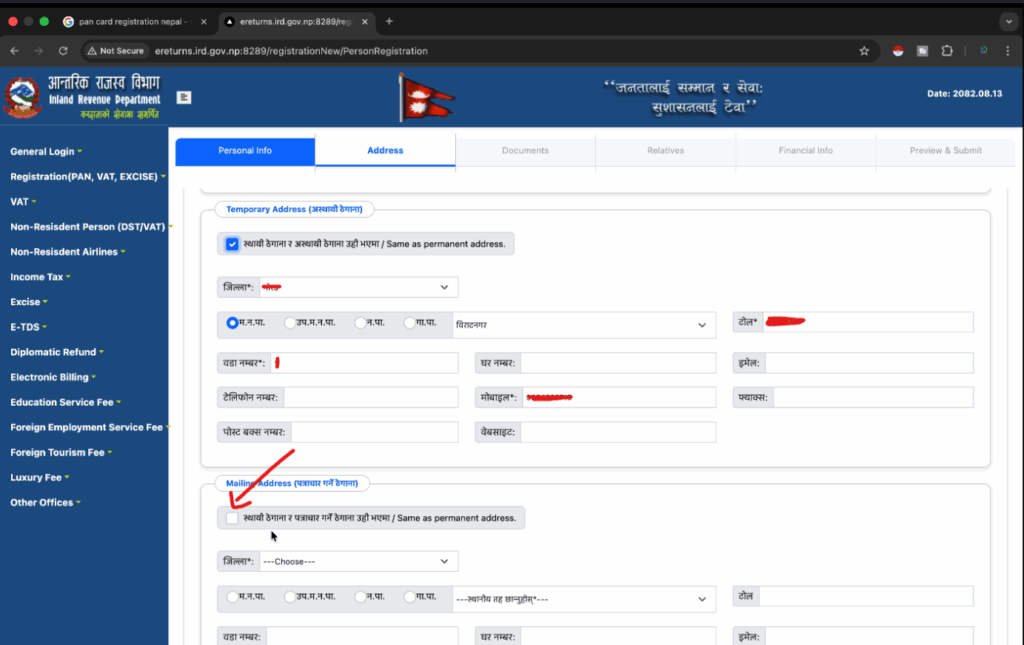
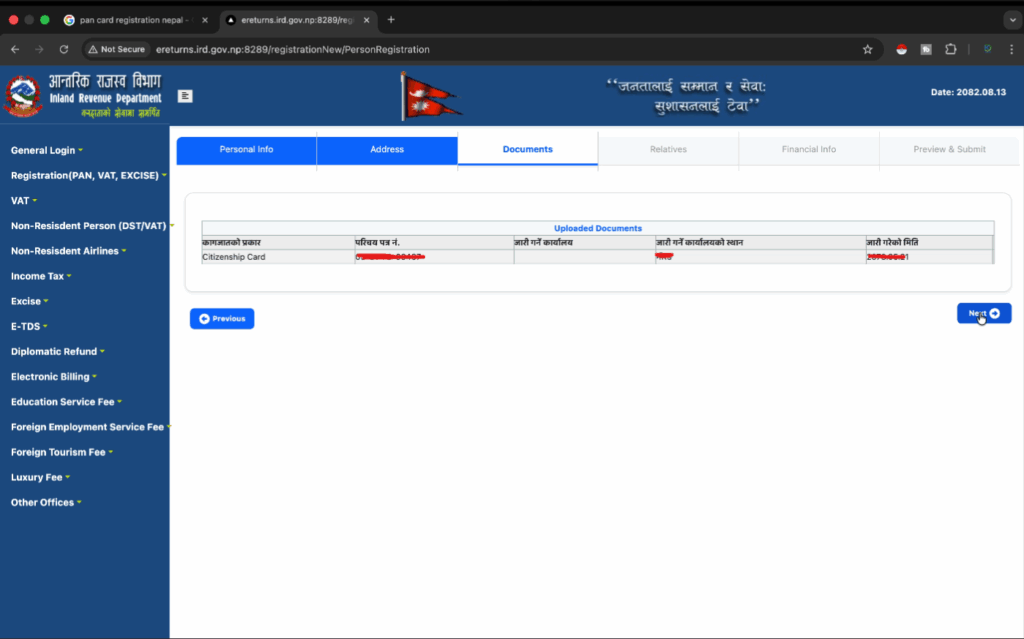
Click Next to go to the Documents and Relatives section. On the document page, everything about your document will be automatically filled in. Verify once and if everything is correct, click Next.
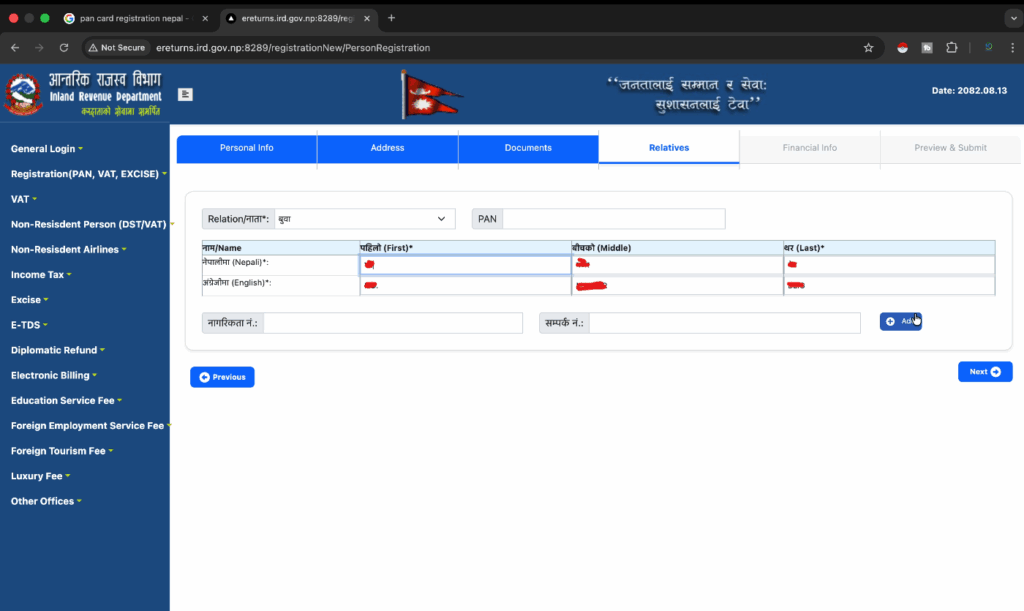
5. Add Mandatory Relative Information
While some data may be pre-filled if it was recorded in your NID, you must enter details for at least your Father and Mother.
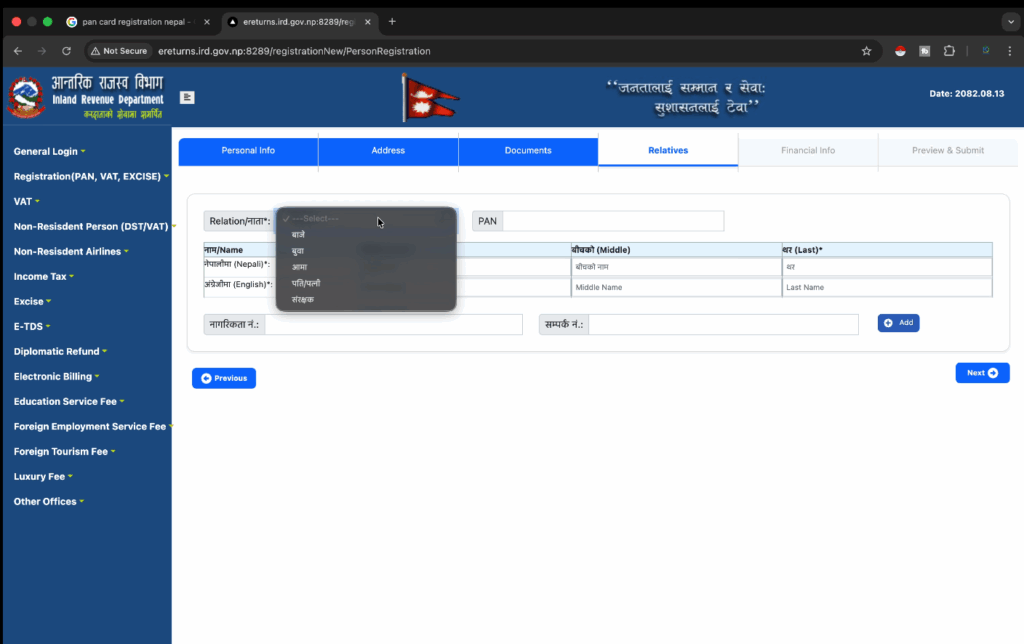
Select the relationship type, such as Father, and manually fill in their full names if they are not already provided. Click Add to include the information. Then click Next.
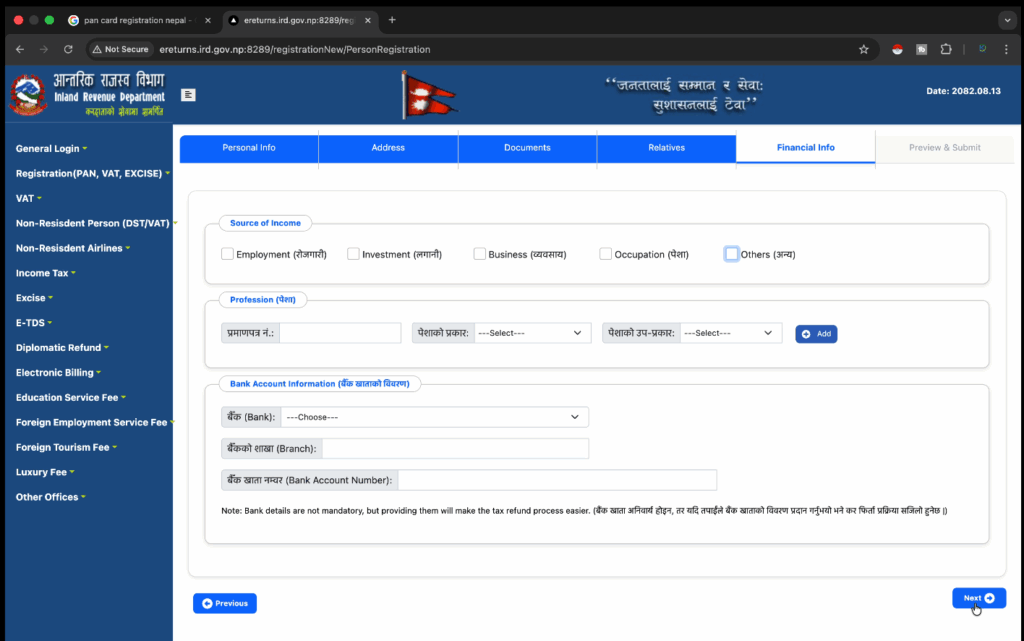
6. Income Source /Financial Info (Optional)
This section asks you to choose your main source of income, such as salary, business, or rental. If you are a student or do not have a regular source of income, you can choose “Others.” In most cases for personal PANs, you can leave the income details blank and click Next.
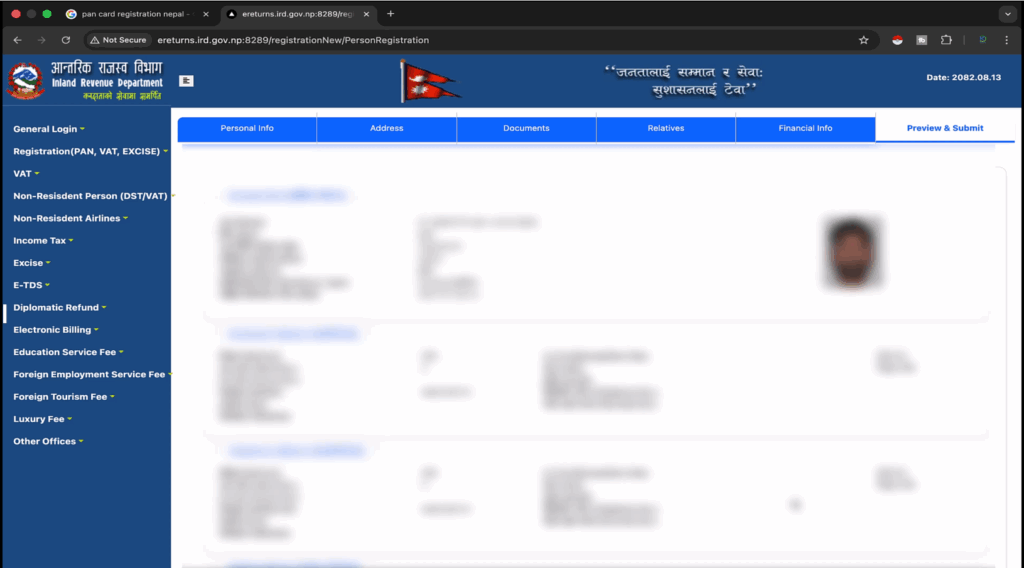
7. Final Review Ra Submission
The last page shows a full summary of all the information you provided. Be sure to go over all the details one last time for any mistakes, especially your NID number and the spelling of your name.
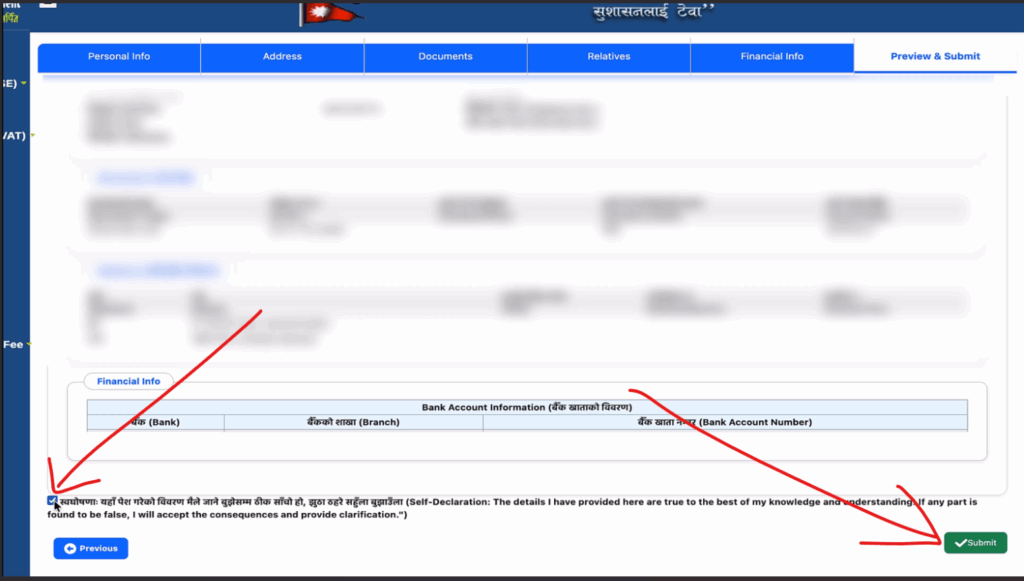
Check the declaration box at the bottom to confirm the information is correct. Click the Submit button to finalize your application.
8. Instant PAN Generation
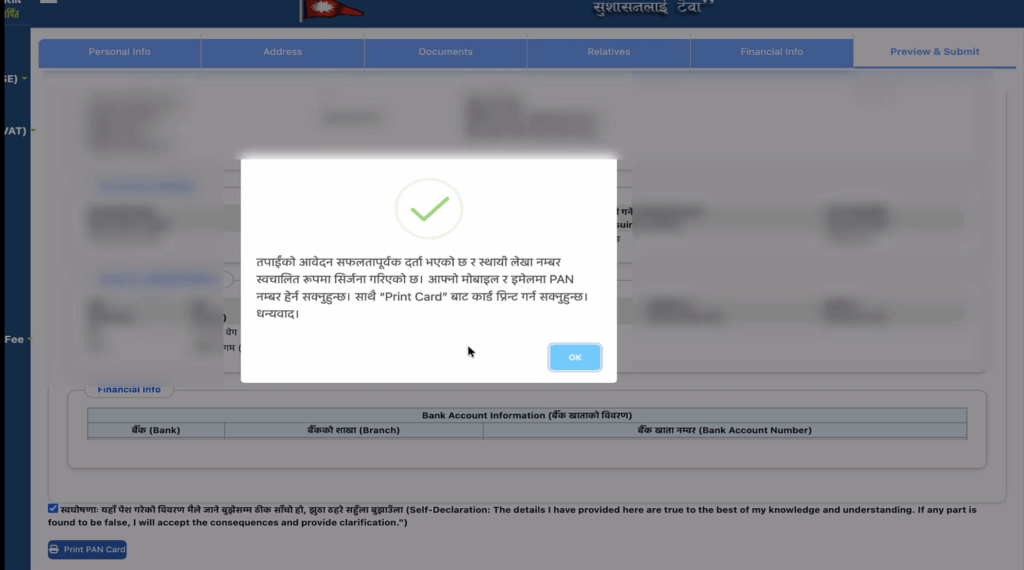
After you submit your application, a confirmation pop-up will appear. It will say: “Your application has been successfully registered. The Permanent Account Number has been automatically generated.” Your new PAN number will be sent right away to your registered mobile number and email address.
9. Print Your Digital PAN Card
After the success message, an option to “Print PAN Card” will appear on the same page.
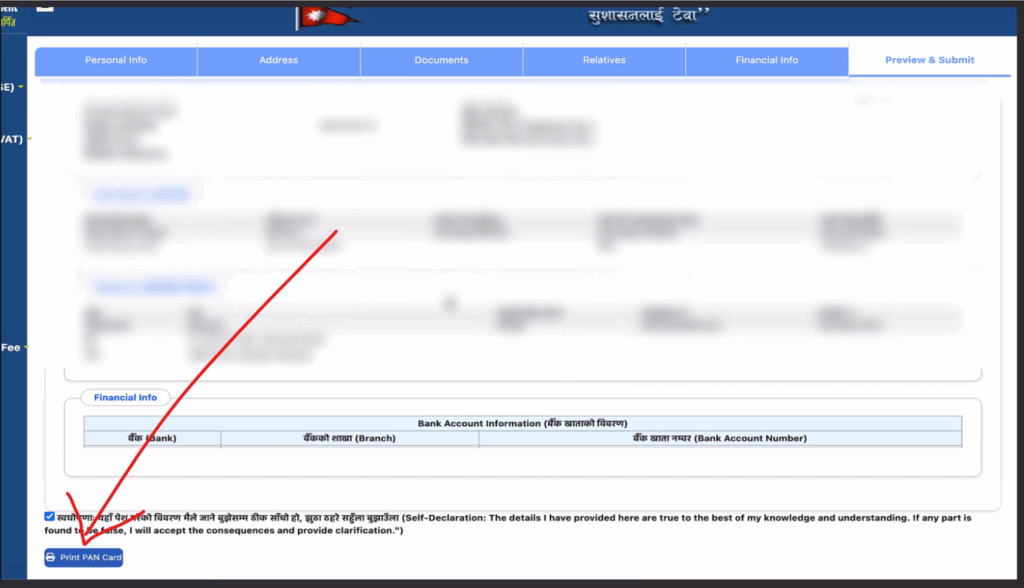
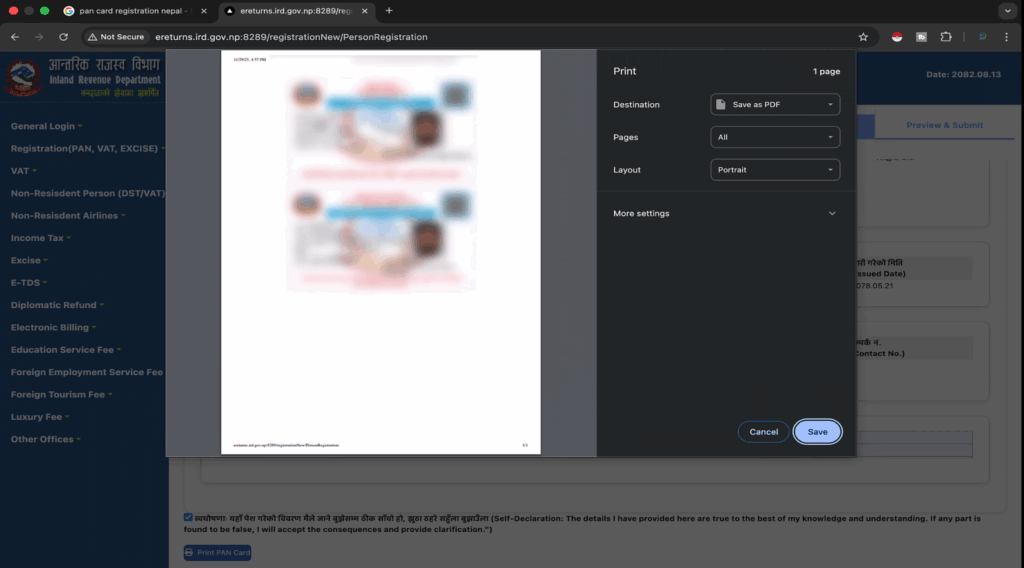
Click this option to view your official digital PAN card document. You can save the document as a PDF or print it for your records. This serves as your official PAN card.
Conclusion
The process of How to Apply PAN Card Using Your National ID in Nepal has become quick and convenient through the online system, thanks to the use of the National Identity Card (NID). By following the nine simple steps, you can avoid visiting IRD offices and skip paper submissions completely. Once submitted, your official PAN number is generated instantly, and you can access your digital PAN card right away. This streamlined digital process saves time, minimizes errors, and makes tax registration easier for everyone. Mastering How to Apply PAN Card Using Your National ID in Nepal ensures citizens can complete the process smoothly, embracing Nepal’s effort to modernize government services.
Final Video Summary
For a quick visual recap of the entire process, watch the video tutorial below:
If you haven’t applied for your NID yet, see our complete guide.
1. Is there any fee or cost to apply for a PAN Card using my National ID?
No. The online application process for a Personal Permanent Account Number (PAN) through the IRD portal using your National ID is completely free of cost (free of charge).
2. How long does it take to receive the PAN number after submitting the application?
When you successfully apply using your National ID, the PAN number is generated instantly right after you click the submit button. It will also be sent immediately to your registered mobile number and email address.
3. Must I use the same mobile number linked to my NID for the application?
Yes, absolutely. To complete the online process using the NID, you must use the active mobile number that is registered with your NID for OTP (One-Time Password) and data verification purposes.
4. Is the digitally generated PAN card valid for all official purposes?
Yes, 100%. The digital PAN card that you view and print from the IRD portal is the official and legal document. It is valid for opening bank accounts, filing taxes, and all financial transactions.
5. What should I do if I find a mistake in my details after the PAN is generated?
If you find an error in major details like your name or date of birth after the PAN is generated, you will need to physically visit your nearest Internal Revenue Office (IRD Office) with your original documents to request a correction.